
The power supply is the component prebuilt makers cut most often, because buyers rarely ask about it and it does not appear on a spec sheet’s headline. Yet a weak or low-quality PSU can cause instability, limit upgrades, and even risk the rest of your expensive parts. Before you buy any prebuilt, a few minutes of PSU scrutiny can save you real money and headaches. This guide explains exactly what to check.
As an Amazon Associate we earn from qualifying purchases at no extra cost to you.


Our Top Picks
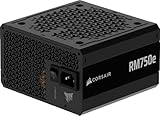
 CORSAIR RM750e ATX 3.1 PCIe 5.1 Ready 750W750 watts5.91 x 5.51 x 3.35 inches3.3 PoundsCheck on Amazon
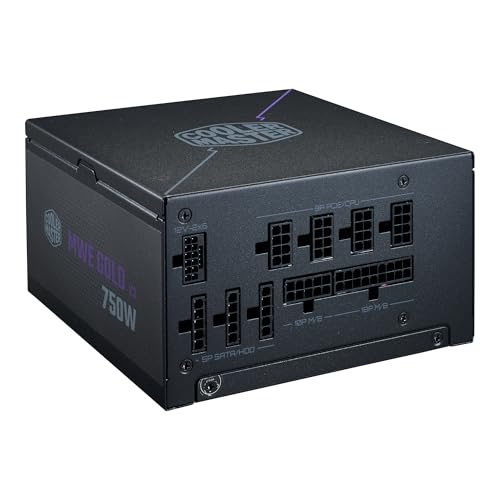 Cooler Master MWE Gold 750 V3 Power SupplyATX Compact (Pack of 1)7.09 x 5.91 x 3.39 inches5.69 poundsCheck on Amazon

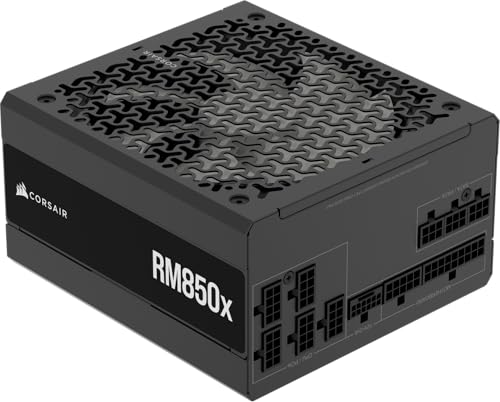
Top 3 picks at a glance
Why the PSU is a common weak point
A prebuilt can pair a great CPU and GPU with a cheap, no-name power supply to hit a price point. Because the PSU is hidden and rarely marketed, it is an easy place to save $30-50 at the buyer’s expense. That saving can cost you far more in reliability and future upgrade flexibility.
The checklist
| Check | What to look for |
|---|---|
| Wattage | Headroom over the GPU’s needs, often 650W+ |
| Efficiency rating | 80+ Bronze minimum, Gold preferred |
| Brand | A named, reputable maker |
| Modularity | Modular or semi-modular aids upgrades |
| Connector type | Correct GPU power connectors for upgrades |
Wattage and headroom
The supply should comfortably exceed the system’s peak draw with room to spare, ideally 20-30%. A mid-range gaming build is well served by 650W, while high-end GPUs may want 750-850W. Headroom keeps the PSU efficient, quiet, and ready for a future graphics upgrade.
Efficiency and brand
An 80+ rating certifies efficiency; Bronze is the sensible floor and Gold is better for heat and noise. Just as important, look for a recognizable brand rather than a generic unit, since named makers are more likely to deliver clean, stable power and honor a warranty.
Questions to ask the seller
If the listing does not name the PSU, ask directly for the make, model, and wattage before buying. A reputable seller will answer; evasiveness is a red flag. Also confirm whether the supply is modular, which makes future upgrades and cable management far easier.
Why it matters for upgrades
Many buyers upgrade the GPU within a couple of years. If the prebuilt ships with a marginal 450-500W unit, that upgrade may force a PSU replacement too, adding cost and effort. Buying a machine with a quality 650W-plus supply from the start protects your upgrade path.
Reading between the lines on spec sheets
Prebuilt listings often describe the PSU vaguely, using phrases like “600W power supply” with no brand or efficiency rating. That vagueness is itself informative: quality units are usually named and rated, so an unnamed supply frequently signals a budget generic. When you see this, ask the seller for the exact make and model, and search for independent impressions of that unit before trusting it with an expensive GPU.
Efficiency ratings also hint at build quality. An 80+ Gold unit is not just more efficient; makers rarely put a Gold-rated supply in a poorly built package. A Bronze rating is acceptable for budget machines, but anything unrated is a warning sign worth investigating.
Planning for your next upgrade
Think one upgrade ahead. If you expect to install a stronger graphics card within a couple of years, buy a machine whose supply already has the wattage and connectors for it, ideally 650-750W with the right cables. Replacing a PSU later means opening the machine, rewiring everything, and spending money you could have avoided by choosing well at purchase. A little foresight on the power supply protects both your components and your wallet.
FAQ
Can a bad PSU damage other components?
A poor-quality supply that delivers unstable or dirty power can, in the worst cases, stress or shorten the life of connected parts. A quality unit with proper protections greatly reduces that risk, which is why the PSU is not the place to cut corners.
Is higher wattage always better?
Not exactly. You want enough wattage plus sensible headroom, but a wildly oversized unit wastes money and can run less efficiently at low loads. Match the wattage to the components with 20-30% headroom for the best balance.
Bottom line
Before buying any prebuilt, verify the power supply’s wattage, efficiency rating, and brand, and favor at least a reputable 650W 80+ Bronze or Gold unit with room to grow. If the seller will not name the PSU, treat that as a warning. A quality supply protects your components and your upgrade path far more than its modest cost suggests.

