
Unreal Engine 5 is a different beast from playing games — it stresses your PC in ways a pure gaming build is not optimized for. Compiling shaders, building lighting, editing large scenes with Nanite and Lumen, and iterating in the editor all lean on the CPU, RAM, storage, and VRAM heavily and simultaneously. If you are building a machine specifically to develop in UE5, this guide targets your budget at what the engine actually demands.
As an Amazon Associate we earn from qualifying purchases at no extra cost to you.
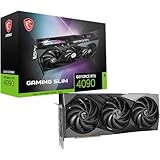


Our Top Picks
 ASUS ROG Strix GeForce RTX 4090 OC EditionROG Strix14.1 x 5.9 x 2.8 inches8.05 poundsCheck on Amazon


Top 3 picks at a glance
What UE5 Asks of Your Hardware
Four things dominate a UE5 workstation: a fast multi-core CPU for shader compilation and building lighting, generous RAM for large scenes and the editor, a GPU with plenty of VRAM for Nanite and Lumen in the viewport, and fast NVMe storage for a project that can balloon to hundreds of gigabytes. Neglect any one and iteration times suffer.
| Component | Recommendation | Why UE5 Needs It |
|---|---|---|
| CPU | High-core-count (12-16+ cores) | Shader compile, lighting builds, cooking |
| GPU | Upper mid-range to high-end, 12-16GB+ VRAM | Nanite/Lumen viewport, GPU lightmass |
| Memory | 64GB DDR5 (32GB minimum) | Large scenes, editor, browser, source control |
| Storage | 2TB+ PCIe 4.0/5.0 NVMe SSD | Huge projects, fast asset streaming |
| PSU | 850W+ 80+ Gold ATX 3.1 | Sustained multi-part load |
Prioritize Cores and RAM
Unlike a gaming build where 6 to 8 cores is plenty, UE5 development rewards more cores. Shader compilation and lighting builds scale across threads, so a 12-to-16-core-or-higher CPU can turn a long coffee-break compile into a short wait. Pair it with 64GB of RAM if your budget allows; 32GB works for smaller projects but large UE5 scenes plus the editor, a browser full of documentation, and source control tools can consume it quickly. RAM is one of the cheapest ways to avoid frustrating slowdowns.
GPU and VRAM for the Viewport
Nanite geometry and Lumen global illumination run in real time in the editor viewport, so a capable GPU with 12 to 16GB or more of VRAM keeps editing fluid, especially at high resolution. You do not necessarily need the absolute flagship — an upper-mid-range card with ample VRAM is a better value for editing than a top card with a smaller buffer. If you also target GPU-based lightmass baking, more GPU power directly shortens those bakes.
Storage: Fast and Large
UE5 projects are enormous, and asset streaming, cooking builds, and the derived data cache all hammer the disk. A 2TB or larger PCIe 4.0 or 5.0 NVMe SSD keeps the editor responsive and build times down. Consider a second drive purely for cache and builds so your project drive stays uncluttered.
Cooling and Stability for Long Sessions
Development means the CPU can run at full tilt for minutes at a time during builds, repeatedly. Give it a strong air cooler or a 280 to 360mm liquid cooler and a well-ventilated case so it holds boost clocks without throttling. A quality 850W-plus power supply provides clean, stable power for sustained mixed CPU-and-GPU load. Stability matters more here than in gaming — a crash during a long bake costs real work.
FAQ
How many CPU cores do I need for Unreal Engine 5?
More than a gaming build. UE5 shader compilation, lighting builds, and cooking scale across threads, so a 12-to-16-core or higher CPU dramatically shortens those waits. If your budget is tight, prioritize core count and RAM over a flagship GPU.
Is 32GB of RAM enough for UE5 development?
It is a workable minimum for smaller projects, but 64GB is the comfortable target. Large scenes, the editor, a browser, and source control tools together can exhaust 32GB and cause slowdowns. RAM is inexpensive relative to the productivity it protects, so err toward more.
Bottom Line
A UE5 development PC is a workstation first and a gaming rig second. Prioritize a high-core-count CPU, 64GB of RAM, and fast large NVMe storage, then add an upper-mid-range-or-better GPU with 12 to 16GB-plus of VRAM for a fluid Nanite and Lumen viewport. Back it with serious cooling and a quality 850W-plus PSU for stable, long build sessions, and your iteration times — the thing that actually limits development — drop sharply.

