
Running your own Minecraft, Valheim, Palworld, or Counter-Strike server at home gives you full control, no monthly hosting fees, and low latency for friends. But a good game-server host is a different machine from a gaming rig — it prioritizes CPU cores, memory, fast storage, and around-the-clock reliability over raw graphics power. Here is how to spec a build purpose-made to host.
As an Amazon Associate we earn from qualifying purchases at no extra cost to you.


Our Top Picks


Top 3 picks at a glance
What a game server actually stresses
Most game servers are CPU- and memory-bound, not GPU-bound. The server simulates the world — physics, entities, player positions — on the processor, and holds the world state in RAM. A modest graphics output (even integrated graphics) is fine because the machine renders nothing for players; it just calculates and sends data. That single fact reshapes the whole build toward cores, clock speed, and memory.
CPU: cores and per-core speed both matter
Many popular servers, including Minecraft’s Java edition, lean heavily on single-thread performance, so a CPU with strong per-core speed keeps tick rates smooth. If you plan to host several servers at once, core count matters too. A current 6-to-8-core chip with high boost clocks is the practical sweet spot — enough threads to run multiple worlds, fast enough cores to keep any one of them responsive.
| Hosting goal | CPU | RAM | Storage | Network |
|---|---|---|---|---|
| 1 small server, a few friends | 6-core, high clocks | 16GB | 500GB NVMe | 1GbE wired |
| Several worlds / 10–20 players | 8-core, high clocks | 32GB | 1TB NVMe | 1–2.5GbE wired |
| Heavy modpacks / 24-7 uptime | 8-core+, ECC-capable | 32–64GB | 1TB NVMe + backup drive | 2.5GbE wired |
Memory is your headroom
RAM is the resource you run out of first. A vanilla server for a handful of players is happy with 16GB, but modded worlds and multiple simultaneous servers eat memory quickly — 32GB is the comfortable default, and heavy modpacks can justify 64GB. Fast DDR5 helps, but capacity is the priority here; a server that runs out of memory stutters or crashes regardless of how fast the sticks are.
Storage and reliability
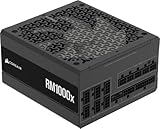
Use an NVMe SSD so world saves and chunk loading are fast, and add a second drive (or a network location) for automated backups — a corrupted world with no backup is the classic self-hosting heartbreak. Because the machine runs unattended, favor quality over flash: a reliable 80+ Gold PSU, good case airflow for 24/7 operation, and no marginal overclocks. Stability beats benchmarks when the box needs to stay up for weeks.
Networking and the “always-on” factor
Wire the server to your router with Ethernet — Wi-Fi adds latency and packet loss that players feel. A 1GbE connection is plenty for most home servers; 2.5GbE is a nice future-proofing touch if your router supports it. Since the machine idles most of the time, an efficient CPU and PSU keep your electricity bill reasonable for a device that never sleeps. A small UPS is worth considering so a brief power blip does not corrupt an active save.
FAQ
Do I need a graphics card for a game server?
Usually not. Dedicated server software runs headless and renders nothing, so a CPU with integrated graphics is enough to install the OS and manage the box. Skipping a discrete GPU frees budget for more cores, RAM, and reliable storage — exactly where a server benefits. Add a GPU only if the same machine will double as a gaming PC.
How much RAM per player do I need?
It depends far more on the game and mods than on player count. A vanilla Minecraft or Valheim server for a small group runs comfortably in a few gigabytes, while a heavy modpack can demand 8–16GB for the same players. Start with 16–32GB, monitor actual usage, and scale up if you add mods or additional worlds.
Bottom line
A home game-server build flips the usual priorities: spend on a fast multi-core CPU, generous RAM, quick NVMe storage with backups, and a wired network — and spend little or nothing on graphics. Build for reliability and uptime rather than frame rates, and you get a quiet, always-on host that keeps your friends’ worlds running without a monthly bill.

