
If your gaming happens on a PlayStation, Xbox, or Switch but you want to stream and record it in high quality, you need a PC built around a capture card rather than around raw gaming performance. This is a different build from a normal gaming rig: the console does the gaming, and the PC’s job is to ingest a clean feed, encode it, run your streaming software and overlays, and never drop a frame. Here is how to spec it properly.
As an Amazon Associate we earn from qualifying purchases at no extra cost to you.


Our Top Picks


Top 3 picks at a glance
The Job Is Encoding, Not Gaming
Because the console renders the game, your PC does not need a monster GPU for gameplay. What it needs is reliable video ingest and strong encoding. That reshapes the whole budget — you spend on a good capture card, a capable CPU or a modern GPU encoder, fast storage, and plenty of RAM, rather than on a flagship graphics card.
| Component | Recommendation | Why It Matters |
|---|---|---|
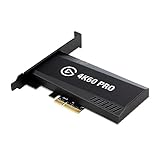
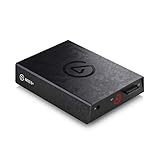
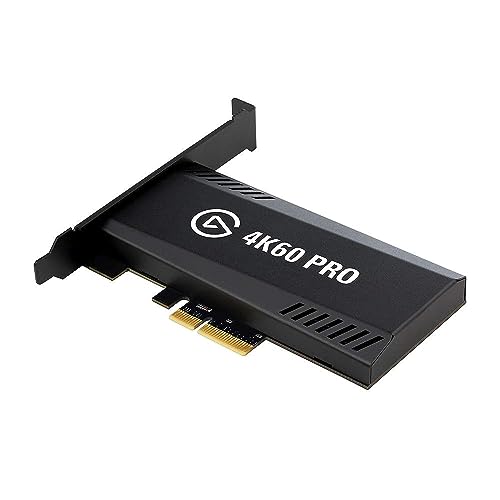
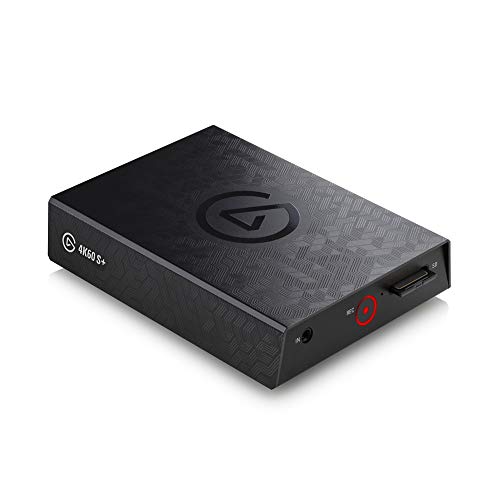
| Capture card | 1080p60 or 4K60 HDMI capture, internal or USB 3.x | Clean, low-latency console feed |
| CPU | Modern 6-8 core | Handles OBS, overlays, and x264 if needed |
| GPU | Modern mid-range with a strong hardware encoder | Efficient NVENC/AV1 encoding |
| Memory | 32GB DDR5 | OBS, browser sources, chat, alerts |
| Storage | 2TB+ NVMe SSD for recordings | Local capture eats space fast |
| Network | Wired gigabit Ethernet | Stable upload, no Wi-Fi drops |
Choosing the Capture Card
Match the card to your console output. A 1080p60 capture card is plenty for most streaming and keeps costs down, while a 4K60 passthrough card lets you record in higher quality and play on a 4K TV without added lag. Look for low-latency HDMI passthrough so you can play on your normal display with no perceptible delay while the PC captures in the background. Internal PCIe cards tend to be the most reliable; quality USB 3.x cards are fine and more flexible.
Encoder: Let the GPU Do the Heavy Lifting
Modern GPU hardware encoders (NVENC, and AV1 on the newest cards) produce excellent quality at very low performance cost, which is ideal here because the PC is not gaming. A mid-range GPU with a current-generation encoder is a better spend than a high-end card, since you are buying it for the encoder, not the frame rate. AV1 in particular delivers noticeably cleaner streams at the same bitrate where the platform supports it.
Storage and RAM for Recording
Local high-quality recordings consume space quickly — 1080p60 can run several GB per hour and 4K far more. A 2TB or larger NVMe SSD keeps recording smooth and gives you room before you have to offload files. 32GB of RAM ensures OBS, multiple browser sources, chat, alerts, and your editing tools all coexist without swapping.
Wire It Up Right
Run console HDMI into the capture card, use the card’s passthrough out to your TV or monitor, and connect the PC to your router with a wired gigabit connection. Wi-Fi is the most common cause of dropped frames on stream; Ethernet removes that variable. Set your encoder to a bitrate your upload can sustain comfortably rather than its absolute ceiling, leaving headroom for stability.
FAQ
Do I need a powerful gaming GPU for a console capture PC?
No. The console renders the game, so the PC only needs a modern mid-range GPU chosen for its hardware encoder (NVENC or AV1). Spend the savings on a good capture card, 32GB of RAM, and a large NVMe SSD instead of a flagship graphics card you would not use for gameplay.
Should the capture card be 1080p60 or 4K60?
Choose 1080p60 if you stream mainly to standard platforms and want to save money — it is plenty for great-looking streams. Choose a 4K60 passthrough card if you play on a 4K TV and want higher-quality local recordings, since it lets you capture in 4K while playing lag-free.
Bottom Line
A console capture and streaming PC flips the usual priorities: the console games, and the PC ingests and encodes. Invest in a low-latency capture card matched to your console, a mid-range GPU with a modern hardware encoder, 32GB of RAM, a roomy NVMe SSD, and a wired connection. Built this way, a mid-tier machine produces professional-looking streams and clean recordings without the cost of a gaming flagship.

