The best premium digital pianos for home studios are the Yamaha CLP-845 for a polished all-in-one console, the Roland FP-90X for a portable instrument with a flexible sound engine, and the Kawai CA901 for a realistic acoustic-piano feel in a dedicated room. The right choice depends less on the longest feature list than on key action, how the piano’s sound fits your recordings, and whether its connections suit your room and workflow.
As an Amazon Associate we earn from qualifying purchases at no extra cost to you.

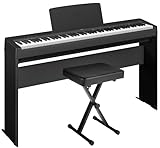

Our Top Picks
 YAMAHA P71 88-Key Weighted Action Digital Piano withFull52.25 x 11.5 x 6 inches25 PoundsCheck on Amazon
 Yamaha Arius Series 88-Key Weighted Digital Piano KeyboardFull Size55.95 x 21.42 x 18.43 InchesCheck on Amazon

Top 3 picks at a glance
Choose for the way you play and record
Premium digital pianos tend to fall into two practical groups: console models, built as furniture for a fixed room, and portable slab models, which are easier to move and place near studio gear. Both can work well for home recording. Before comparing models, decide whether you mainly want to record MIDI and use software instruments, record the piano’s internal sound, or do both.
| Your setup | Good fit | Why |
|---|---|---|
| Dedicated piano room; speakers built into the instrument | Yamaha CLP-845 or Kawai CA901 | Console design and integrated amplification make everyday playing self-contained. |
| Small room; piano must share space with a desk or move occasionally | Roland FP-90X | A portable body is easier to position; external stands and speakers can be chosen to fit the room. |
| Recording mostly MIDI into a computer | Any of the three, subject to action preference | USB-MIDI sends note and performance data; the computer’s piano instrument produces the recorded sound. |
| Recording the piano’s built-in tone directly | Compare the available audio outputs before buying | Audio connectivity varies by model. Confirm whether you can send line-level audio to your interface without relying on speakers or a microphone. |
How the three choices differ
Yamaha CLP-845: a balanced console for playing and production
The CLP-845 is a Clavinova console with a weighted GrandTouch-S keyboard, wooden white keys, and Yamaha’s CFX and Bösendorfer Imperial concert-grand voices. Its two-way speaker system is useful when you want a convincing room-filling sound without assembling a separate monitoring setup. USB connectivity supports computer-based work, while Bluetooth audio can make it convenient for playing along with reference tracks.
Choose it if the piano will stay in one place and you want a refined instrument for both practice and recording. Its speakers are a listening convenience, not a substitute for studio monitors: close walls and room reflections can color what you hear. Check the exact CLP-845 connectivity and regional specification if direct audio recording is important, since USB-MIDI alone does not carry the piano’s audio.
Roland FP-90X: flexible sound in a portable format
The FP-90X combines a PHA-50 hybrid keyboard with Roland’s PureAcoustic Piano Modeling sound engine. Modeling generates the piano tone rather than simply playing back a fixed recording, and the instrument offers multiple piano characters alongside other sounds. Its portability makes it attractive when a console would crowd a compact studio, though the stand, pedals, and speakers you add affect the final footprint.
It is a strong choice if you want one instrument for piano, keys, and computer production. Its built-in speakers can handle casual playing, while headphones or separate monitors are better for recording decisions. Verify the output connections and routing you need before purchase, especially if you intend to capture the internal piano sound as a stereo signal.
Kawai CA901: a room-first choice for acoustic-style playing
The CA901 is a substantial console built around Kawai’s Grand Feel III wooden-key action and SK-EX-based piano sounds. Its long-key design and counterweights aim to create a substantial, piano-like response. The integrated speaker system and soundboard speaker design suit a dedicated listening space, where the instrument can be enjoyed without headphones.
Pick it when touch and an immersive home-playing experience come first, and the room can accommodate a large console. For studio use, treat its onboard sound and its MIDI performance as separate paths: MIDI is useful for editing notes or triggering a virtual piano, while recording the CA901’s own tone requires an appropriate audio connection. Confirm the current model’s output options for your intended interface.
Key action: match the keyboard to your playing
All three use weighted actions, but “weighted” does not mean they feel alike. Longer keys, pivot geometry, counterweights, escapement simulation, and key surfaces all affect response. If possible, play repeated notes, quiet passages, and fast runs on each action—not just loud chords. A keyboard that feels responsive at low velocity can make soft recording performances easier to control.
Also consider how the action will translate to your software instruments. MIDI velocity is the signal that communicates how forcefully you played. If the piano sends values that make your virtual instrument too loud or too bright, adjust the instrument’s velocity curve or the keyboard’s touch setting. Start with the default curve, record a soft-to-loud passage, and change one setting at a time; otherwise it is difficult to tell whether the keyboard or the software caused the mismatch.
Sound engine and studio connections: avoid a common mismatch
A piano can sound impressive through its own speakers yet behave differently in a mix. Built-in speakers interact with the room, while headphones and monitors reveal different balances. Listen to the piano voice you expect to record, preferably through the same headphones or monitors you will use at the desk. Compare sustained notes, pedal transitions, and the decay after releasing a chord; these details often matter more in a recording than a dramatic demo tone.
For MIDI recording, connect the piano to the computer by USB and select it as the MIDI input in your music software. This records performance data, not audio. For the piano’s internal sound, route its audio outputs to a suitable audio interface, or use a supported digital-audio connection if the model offers one. Use a stereo pair for a stereo piano image; a single mono input is workable but changes the sound. Headphone jacks are intended for listening, so they may not be the best line-level recording output.
Plan the room and recording chain before buying
Allow space for the instrument, bench, pedal access, and a comfortable playing position. A console also needs clearance for its lid or music rest as applicable, and enough distance from a wall for its speakers to breathe. In a small, reflective room, a large built-in speaker system may excite bass frequencies unevenly; headphones or nearfield monitors at the desk can give more consistent recording judgments.
Here is a useful connection-and-space check for a typical home studio. The figures below are planning estimates, not manufacturer dimensions; measure the exact model and furniture before ordering.
| Planning item | Practical allowance | Reason |
|---|---|---|
| Playing depth, including bench | About 1.2–1.5 m | Leaves room to sit comfortably and move the bench without blocking a walkway. |
| Console width | About 1.4–1.5 m | Typical planning range for a full-width 88-key console; check the model’s published dimensions. |
| Portable piano plus stand | About 1.3–1.5 m wide | Stand width and stability can differ from the keyboard’s own dimensions. |
| Audio interface inputs for stereo recording | 2 line inputs | One input per left/right channel preserves the instrument’s stereo output. |
| USB connection for MIDI | 1 available computer USB port | Needed for direct USB-MIDI unless using another supported MIDI connection. |
For example, if your interface has two inputs already occupied by microphones, recording a stereo digital piano requires either freeing those inputs, adding an interface with more inputs, or recording the piano in a separate pass. A USB-MIDI cable does not solve that audio-input bottleneck. Conversely, if you only need MIDI, the two audio inputs are irrelevant: the computer can generate the piano sound from the recorded notes.
Final decision
- Choose the Yamaha CLP-845 for a refined fixed-room console with a balanced mix of playing features and built-in sound.
- Choose the Roland FP-90X when portability and a flexible modeled sound engine matter more than a furniture-style cabinet.
- Choose the Kawai CA901 when a substantial acoustic-style action and immersive home listening are priorities, and you have room for a large console.
Before committing, confirm three specifics on the exact model: that its action suits your hands, that its piano voice works through your monitoring setup, and that its audio outputs match your interface. Those checks are more useful than choosing by preset count alone—and they ensure the instrument fits both your room and your recording workflow.
Frequently asked questions
Can all three pianos record MIDI to a computer?
Yes, any of the three can record MIDI to a computer through USB-MIDI. MIDI records note and performance data rather than the piano’s audio, allowing your music software to generate the sound with a virtual piano. The choice among them therefore depends more on preferred key action and workflow than on basic MIDI recording capability.
Can USB-MIDI record the piano’s built-in sound?
No, USB-MIDI does not carry the piano’s audio. It sends performance data, such as the notes played and their velocity, to the computer. To record a piano’s internal tone, route its audio outputs to a suitable audio interface or use a supported digital-audio connection if the model offers one. Confirm the exact model’s connections before buying.
Do I need two audio-interface inputs to record a stereo piano signal?
Yes, two line inputs are needed for a stereo recording, with one input for each left and right channel. If those inputs are already occupied by microphones, you must free them, add an interface with more inputs, or record the piano in a separate pass. A USB-MIDI cable does not solve this audio-input limitation.
Which piano is easiest to place in a small studio?
The Roland FP-90X is the easiest of these choices to position when space is limited because its portable body can be moved and used with an external stand and speakers selected for the room. A console may crowd a compact studio, while the Yamaha CLP-845 and Kawai CA901 are designed as substantial fixed-room instruments.
How should I adjust MIDI velocity if a virtual piano sounds too loud or bright?
Start with the default velocity curve, record a soft-to-loud passage, and change one setting at a time. MIDI velocity communicates how forcefully you played, and the keyboard or software instrument may interpret those values in a way that sounds too loud or bright. Adjust the instrument’s velocity curve or the keyboard’s touch setting, then compare the result.