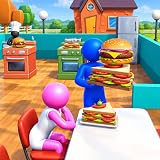
Rude customers in Restaurant Tycoon are not a personality problem you can charm away — they are a patience timer that ran out, and the timer only drains in three places: the queue at the door, the kitchen pass, and the walking lanes between them. Fix those in order of cost — layout first (free), staff speed and role assignment second (cheap), extra tables and stations last (expensive) — and reputation stops bleeding without you spending most of your cash on upgrades you did not need. The sections below give you the exact checks, the peak-hour math for how many tables you actually need, and a symptom-to-fix table so you can spend on the bottleneck instead of guessing.
As an Amazon Associate we earn from qualifying purchases at no extra cost to you.


Our Top Picks


Top 3 picks at a glance
What “Rude” Actually Means in the Game
Every customer spawns with a patience meter — a countdown that drains while they wait to be seated, while their order is cooked, and while they wait to pay. When the meter empties, the mood icon flips from happy to neutral to angry, the customer plays the stomping/shouting animation, and when they finally leave they take a reputation hit instead of paying full price. In most Roblox-era restaurant tycoons, including Restaurant Tycoon and its sequels, that starting patience window is short — on the order of 30–60 seconds depending on the customer type and any mood bonuses you have active.
The useful consequence: rudeness is always a symptom of waiting, and waiting has exactly three causes. Diagnose which one you have before you buy anything.
- Door/queue wait — no free table, or a host that cannot reach the waiting customer.
- Kitchen wait — the cooking station cannot keep up with the order rate, so food is simply late.
- Pathing wait — a table is free, but the customer or server physically cannot get there because a prop, wall or another NPC is blocking the route.
Fix the Layout First — It Costs Nothing
- Step 1 — Keep every walkable lane at least 3 tiles wide. Reason: NPC pathing recalculates the moment an agent is blocked, so a 1-tile gap becomes a traffic jam as soon as two customers cross. Three tiles lets two NPCs pass without either stopping.
- Step 2 — Put the kitchen door within about 6 tiles of the centre of the dining room. Reason: server travel is pure dead time. A long round trip cuts deliveries per minute exactly like a slower staff speed stat would, except you can fix it for free.
- Step 3 — Move the checkout to the exit side of the room, not the entrance. Reason: paying customers then walk out while new customers walk in, instead of both flows pushing through the same doorway.
- Step 4 — Clear decorative props out of the queue line. Reason: plants, ropes and rugs are the usual invisible blockers. Anything with a collision box in the queue adds a second or two to every single customer, which compounds across a rush.
- Step 5 — Cluster tables rather than spreading them across the map. Reason: shorter server walks mean more deliveries per minute from the same staff stat, and fewer “food is ready but nobody can reach the table” moments.
If you change nothing else, do Steps 1 and 4. Blocked pathing is the most common cause of a customer going angry while a perfectly good table sits empty, and it is the one cause that no amount of staff upgrading will fix.
Staff Speed: Where the Money Actually Belongs
Staff upgrades are the second lever and usually the best value per coin — but only if you upgrade the bottleneck rather than everything at once. The trap is buying a tier on every employee, which spreads your cash thin and still leaves the kitchen unable to match the order rate.
Assign roles before you buy stats
Generalist staff waste most of their time walking. Assign one dedicated cook, one or two servers, and one host/greeter. Reason: specialization removes travel from the loop — a server who never cooks is always either carrying food or returning for it, which is the only state where server speed actually converts into throughput.
Upgrade order that survives a rush
- Cook speed first if orders are stacking up at the kitchen pass. The kitchen is a hard throughput limit: servers cannot deliver food that does not exist yet.
- Server speed second if cooked food is sitting on the counter waiting. That is a delivery bottleneck, not a cooking one, and cook upgrades will do nothing for it.
- Host/greeter last. Seating speed only helps if tables are free. When the room is full, a faster host just builds a faster queue.
- Skip politeness/smile-style upgrades until the timers are fixed. Mood modifiers slow the patience drain, so they buy you seconds — they do not create throughput. Treat them as a cushion after the layout and bottleneck are sorted, not as the cure.
How Many Tables Do You Actually Need? Peak-Hour Math
Most players add tables by feel and either overspend or stay permanently short. You can size the room properly in about two minutes using Little’s Law, which simply says the number of customers in your restaurant equals the arrival rate multiplied by how long each customer stays.
- Measure arrivals. Watch the door for 60 seconds during your busiest period and count customers. Say you get 15 per minute — that is 0.25 customers per second.
- Measure seat time. A seated customer occupies a table for roughly 45 seconds including ordering, eating and paying.
- Apply the formula. Customers in the system = 0.25 × 45 = 11.25, so about 12 customers are in the room at any moment during peak.
- Convert to furniture. At 2 seats per table, 12 ÷ 2 = 6 tables minimum. Add one for headroom: 7 tables.
- Check what happens if you are short. With only 4 tables (8 seats), your service rate is 8 ÷ 45 ≈ 0.178 customers per second, or about 10.7 per minute. Arrivals are 15 per minute, so roughly 4.3 customers per minute pile up. The queue grows without limit, and anyone past about the fourth position runs out of patience before they are ever seated.
| Peak metric | Example value | How to measure it | What it tells you |
|---|---|---|---|
| Arrival rate | 15 customers/min (0.25/s) | Count the door for 60 seconds at peak | Your demand ceiling |
| Average seat time | ~45 seconds | Time one customer from sitting to paying | How long a table is unavailable |
| Customers in room | ~12 | Arrival rate × seat time | Concurrent load on staff and seats |
| Tables required | 6–7 (2 seats each) | Customers in room ÷ seats per table | Your furniture target |
| Excess arrivals with 4 tables | ~4.3/min | Arrivals − service rate | Size of the growing queue |
| Patience window | ~30–60 seconds | Watch the mood icon after a customer spawns | How much queue growth you can absorb |
Run the same numbers before you buy your next table. If your excess arrivals figure is near zero, the problem is not seating capacity — it is the kitchen or the pathing, and a new table will just add a chair nobody reaches.
Symptom → Cheapest Fix Matrix
| What you see | Most likely bottleneck | Cheapest fix | Why it works |
|---|---|---|---|
| Angry while still standing at the door | No free table | Widen lanes, then add tables | Blocked pathing fakes a capacity shortage |
| Angry while seated, no food arriving | Kitchen throughput | Cook speed tier or a second cook | Raises the hard limit on orders per minute |
| Cooked food waiting on the pass | Delivery | Server speed, or move kitchen closer | Same stat gain, but free if it is a distance problem |
| Customers frozen mid-floor | Pathing | Delete props, widen gaps to 3 tiles | Removes the recalculation stall entirely |
| Only the far corner tables go angry | Travel distance | Cluster tables near the kitchen | Cuts seconds off every single delivery |
| Whole room angry at once at peak | Arrivals exceed capacity | Trim marketing spend or raise prices | Reduces arrival rate while you save for capacity |
Stopping Reputation Loss Mid-Rush
- Stop taking new orders for a moment rather than losing customers. Reason: a reputation loss costs far more long-term progress than a few seconds of lost sales.
- Serve the angriest customer first, not the closest. Reason: the mood icon is the timer. Delivering to the customer nearest the kitchen is the intuitive move and the wrong one — the nearest customer has the most patience left.
- Do not fire staff mid-rush. Reason: rehiring and re-training costs cash and leaves the kitchen unstaffed during the exact window that matters.
- Bank one rush’s profit before the next upgrade. Reason: the failure mode in these games is spending every coin the moment it arrives, which leaves nothing for the table that would have fixed the queue.
Frequently Asked Questions
Do rude customers calm down again if I serve them quickly?
Yes, if you reach them before the patience meter empties. The mood icon generally steps back toward neutral once their order is delivered or their table is assigned, and a customer who was getting impatient can still pay full price and leave a normal tip. Once the angry animation has fully triggered, though, the reputation hit is usually locked in even if you deliver afterwards, so the value is in the seconds before the flip.
Is it better to fire a slow employee or buy a speed upgrade?
Buy the upgrade. Firing costs you the hiring fee, resets any training, and leaves the station unstaffed while you wait for a replacement — which guarantees a bad rush. Staff speed tiers are the more predictable spend, and the employee’s speed stat persists across shifts. Only replace staff if the employee is stuck in a pathing loop you cannot fix by rearranging furniture.
Do decorations and mood items stop customers from going rude?
They slow the patience drain rather than stopping it, so they buy you seconds, not throughput. That makes them useful as a cushion once your layout and bottleneck are already sorted, and close to useless as a first purchase — a room full of mood items with a blocked aisle still produces angry customers. Spend on paths and staff speed first, then layer mood items on top.
Should I close the restaurant to reset angry customers?
Closing clears the room and stops the reputation bleed immediately, which is a legitimate emergency move if your reputation is close to a threshold that gates an unlock. The catch is that you also lose the income from every customer currently in the building. For most players it is better to fix the bottleneck mid-rush — trim the queue, serve the angriest first — and close only if the room has already collapsed.
Why do only some tables’ customers get angry?
That pattern almost always points to travel distance or a partial pathing block, not to a random mood roll. Tables on the far side of the room take longer for a server to reach, so their customers sit with an empty table for longer on every single order. Move those tables toward the kitchen or widen the lane leading to them and the pattern usually disappears.
Does a faster gaming PC help with rude customers in Restaurant Tycoon?
Not with the patience timer itself, but frame drops do cost you: when the game stutters during a full dining room, clicks and interactions register late, and a couple of missed inputs during a rush can mean a table goes unserved. Roblox-based tycoons are typically CPU-bound, so single-core performance matters more than GPU horsepower — a modern 6-core CPU with a mid-range discrete GPU generally runs them smoothly at 1080p, and a build like that usually lands somewhere in the $700–$1,000 range. If you already have that and still see stutter, lowering the graphics quality or capping the frame rate is free.