
Building a gaming PC with no dedicated graphics card used to be a punchline. That changed once modern APUs started shipping with genuinely capable integrated graphics. This guide walks through how to spec one without wasting money on parts a graphics-card build would need but an APU build does not.
As an Amazon Associate we earn from qualifying purchases at no extra cost to you.


As an Amazon Associate we earn from qualifying purchases at no extra cost to you.

Our Top Picks
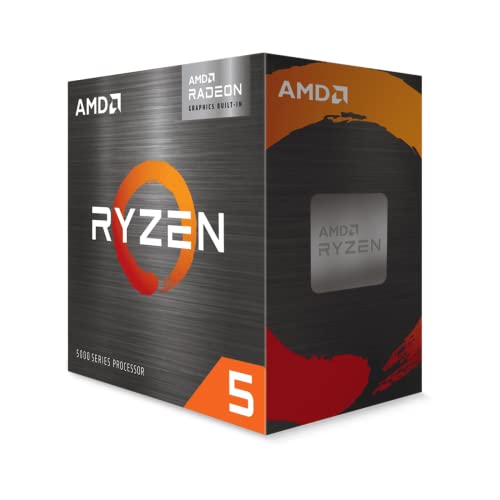 AMD Ryzen™ 5 5600G 6-Core 12-Thread Desktop Processor1.6 x 1.6 x 0.2 inches0.9 PoundsCheck on Amazon


Top 3 picks at a glance
What an APU Actually Is
An APU (Accelerated Processing Unit) is a CPU with a real graphics engine baked into the same chip. The trade-off is raw performance: even the strongest integrated graphics land somewhere near an entry-level discrete card. But for the games most people actually play, that is often enough.
Where APU Gaming Shines and Where It Struggles
Expect smooth 1080p in competitive titles like CS2, Valorant, Rocket League, and League at 60 to 120 FPS with sensible settings. Story-driven AAA games from a few years ago run at 1080p low-to-medium in the 40 to 60 FPS range. Brand-new, ray-traced blockbusters at high settings are simply out of scope — that is the honest limit.
How to Spec the Build
The golden rule of an APU build: spend the money you saved on the GPU somewhere it still helps. Fast dual-channel memory is the single biggest lever, because integrated graphics feed directly from system RAM.
| Component | Recommendation | Approx. Budget |
|---|---|---|
| APU | Current-gen 6-8 core APU with strong iGPU | Varies |
| Motherboard | B-series mATX with good VRM, BIOS flashback | Varies |
| Memory | 16GB (2x8GB) or 32GB dual-channel, DDR5-6000 | Varies |
| Storage | 1TB PCIe NVMe SSD | Varies |
| PSU | 450-550W 80+ Bronze (headroom for a future GPU) | Varies |
| Case + fans | Compact mATX with mesh front | Varies |
Memory Is Not Optional Here
Never run an APU on a single stick of RAM. A single-channel setup can cut integrated graphics performance by 20 to 40 percent because the GPU is starved for bandwidth. Always run two matched sticks, enable the memory profile (EXPO or XMP) in BIOS, and aim for the fastest kit your platform officially supports. On DDR5 that usually means 6000 MT/s.
Leave a Clean Upgrade Path
Choose a 550W power supply even though the APU sips well under 150W total. That extra headroom means when you drop in a mid-range graphics card in a year, you will not need to replace the PSU. Pick a case with room for a full-length card and a motherboard with a PCIe x16 slot, and your APU build quietly becomes a graphics-card build later for the cost of one part.
Settings That Squeeze Out Free Frames
On integrated graphics, a few tweaks matter more than usual. Drop shadows and volumetric effects first — they are expensive and barely visible in motion. Enable upscaling (FSR or the in-game equivalent) in quality mode to reclaim 20 to 30 percent performance. Cap your frame rate a few frames under your monitor refresh to keep frame pacing smooth rather than chasing a jittery max.
What to Look For in an APU Gaming Build
Graphics Compute Units, Not Just Core Count
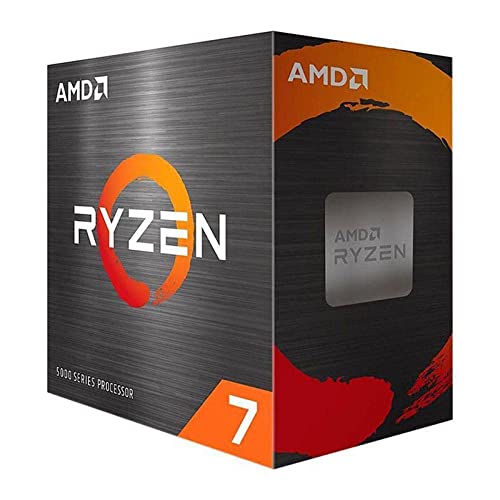
On an APU, the processor cores matter less to frame rate than the size of the integrated graphics block. AMD sizes that block in compute units (CUs), and the spread across the product stack is wide. The older Ryzen 5 5600G pairs its cores with 7 Vega CUs and the Ryzen 7 5700G with 8. The newer 8000G generation moved to RDNA 3 graphics, with the Radeon 740M at 4 CUs, the 760M at 8 CUs, and the 780M at 12 CUs. A chip with 12 newer CUs has far more headroom than one with 7 older ones, even when the CPU core counts look similar. Confirm the exact graphics tier on the product page, because chips with similar names can carry very different graphics blocks.
Memory Bandwidth Is the Real Ceiling
Integrated graphics have no dedicated video memory. They read and write system RAM, so the speed and channel count of your memory sets the upper limit on frame rate. The arithmetic is simple: transfer rate in megatransfers per second, times 8 bytes per channel, times the number of channels.
| Memory setup | Approximate peak bandwidth |
|---|---|
| DDR4-3200, single stick (one channel) | 25.6 GB/s |
| DDR4-3200, two sticks (dual channel) | 51.2 GB/s |
| DDR5-5200, two sticks (dual channel) | 83.2 GB/s |
| DDR5-5600, two sticks (dual channel) | 89.6 GB/s |
The practical lesson is that a single stick can halve the bandwidth your graphics get, which no CPU upgrade can recover. Buy two matched modules and install them in the slots your motherboard manual names for dual channel. Check the processor’s official memory support as well. Some platforms list a ceiling below what enthusiast kits advertise, and the motherboard may need a BIOS profile (EXPO or XMP) enabled before the kit runs at its rated speed.
Platform Choice and Its Hidden Limits
The 5000G chips use the AM4 socket and DDR4, which usually keeps the memory and board more affordable. The 8000G chips use AM5 and DDR5, which asks for a larger outlay up front but gives faster memory and a longer upgrade path. There is one limitation to know before you plan a later graphics card. AMD’s 8000G desktop chips expose a reduced number of PCIe lanes to a discrete card (specs list a x4 link), while the 5000G family keeps a full x16 link but at PCIe 3.0 speed. A future card will still work in either case, but a high-end card may be held back on the 8000G parts, so match your upgrade ambition to the chip you pick now.
Cooling, Power, and Case Size
These chips are typically rated around 65 W, so a modest tower cooler or the bundled cooler is generally enough. A power supply in the 450 W to 550 W range from a reputable maker covers an APU build with room to spare. Because you are not feeding a graphics card, a compact case becomes a realistic option, but small cases limit later upgrades, so measure the longest card you might fit before choosing one.
Which Build Should You Pick?
| If you… | Choose… |
|---|---|
| Play esports and older titles at 1080p and want the lowest cost | A 5000G-class APU on AM4 with two sticks of DDR4 at the highest speed the chip officially supports |
| Want smooth 1080p in recent games at low to medium settings | An 8000G-class APU with the 8-CU or 12-CU graphics, paired with a dual-channel DDR5 kit |
| Plan to add a graphics card within a year | An AM5 board with a sturdy power supply and a case that has room for a long card |
| Need a quiet living-room machine | A small case with a 65 W APU, a low-noise cooler, and a power supply with a fan-stop mode |
| Play mostly one demanding game | Check that game’s minimum and recommended specs first, because a single heavy title can decide whether an APU is enough |
A Realistic Frame-Rate Budget
Frame rate and frame time are two views of the same number. A 60 fps target gives the system about 16.7 milliseconds per frame. A 30 fps target gives it 33.3 milliseconds. Integrated graphics tend to do their best when you ask for the second number in demanding games and the first in lighter ones. A sensible way to plan:
- Pick the target frame rate for the game you care about most, 30 fps for heavy modern titles or 60 fps for competitive and older games.
- Start at 1080p with low or medium settings and see where the frame rate lands.
- If it falls short, lower the render resolution or turn on an upscaler such as FSR before touching texture quality, because upscaling taxes the graphics block less than shadows and effects do.
- Only then reduce shadows, volumetric effects, and anti-aliasing, which are usually the most expensive settings per unit of visual change.
Treat any frame-rate figure you see in a headline as a data point for that exact game, version, driver, and memory configuration, not as a promise for your own build.
Common Mistakes When Building an APU-Only PC
- Using one memory stick. It halves the memory channels and roughly halves the graphics bandwidth. Two matched sticks are the simplest performance upgrade available.
- Buying the slowest memory kit. Because the graphics block uses system RAM, a faster kit is worth more here than in a build with a discrete card.
- Skipping the BIOS update. Some boards need a newer BIOS before they recognise a newer APU. Check the processor support list for the board before buying.
- Leaving the memory profile off. Memory often runs at a slower default speed until you enable the EXPO or XMP profile in the BIOS.
- Setting the graphics memory allocation too low. Many boards let you reserve part of system RAM for the graphics. If a game stutters or refuses to start, raising the setting in the BIOS is a quick thing to try.
- Expecting desktop-card results. Integrated graphics are a capable starting point, not a substitute for a mid-range card. Set expectations around 1080p, reduced settings, and upscaling.
- Forgetting storage speed. A fast NVMe drive shortens load times and adds little to the build, which matters when the rest of the build is modest.
Questions About APU Gaming Builds
Can I add a graphics card later?
Yes, and that is the main appeal of the approach. The socket and board are the same ones a card build would use, so the card simply goes in the PCIe slot. Check the slot link speed for your chip, and make sure the power supply has the connectors the card needs.
Does dual-channel memory really matter that much?
For integrated graphics, yes. The arithmetic above shows why: the same kit in a single slot supplies half the bandwidth. Owners commonly report that moving from one stick to two is among the largest single gains available to an APU build.
Is upscaling worth turning on?
Usually, when the game supports it. FSR works on a wide range of hardware, including integrated graphics, and trades a small amount of sharpness for a higher frame rate. Try the quality mode first and step down only if you need more.
Will the build run hot or loud?
With a 65 W chip and no graphics card, heat output is low. A basic tower cooler and one or two case fans are typically enough. Noise depends more on fan curves and case airflow than on the chip itself.
FAQ
Can an APU-only PC run modern AAA games?
It can run many of them at 1080p low to medium with upscaling on, typically in the 40 to 60 FPS range. Fast-paced esports titles run far better, often 100 FPS or more. The newest, most demanding releases at high settings will need a discrete GPU, but the majority of the catalog is playable.
How much RAM should an APU gaming build have?
16GB dual-channel is the practical minimum and 32GB is the comfortable sweet spot, especially since the integrated graphics carve out a chunk of system memory for themselves. Two matched sticks with the memory profile enabled in BIOS is far more important than total capacity on one stick.
Bottom Line
An APU-only build is the smartest way to start PC gaming on a tight budget without buying a compromised graphics card you will resent later. Spend on fast dual-channel memory, a quality NVMe SSD, and a power supply with headroom, and you get a quiet, capable 1080p machine now plus a painless GPU upgrade whenever prices or your budget cooperate.

