
Nothing ruins a first build faster than a box of parts that will not work together. The good news is that compatibility failures are almost always predictable and preventable — they come from a short list of interfaces that must match. Run this checklist before you place a single order and you eliminate the most common (and most expensive) mistakes.
As an Amazon Associate we earn from qualifying purchases at no extra cost to you.


Our Top Picks



Top 3 picks at a glance
CPU and motherboard: socket and chipset
The processor and motherboard must share the same socket, and the chipset must support that CPU generation. A modern AMD chip needs an AM5 board; an Intel chip needs the matching LGA socket for its generation. Even with the right socket, some boards require a BIOS update to recognize a newer CPU — check that the board either ships with a compatible BIOS or supports updating without a CPU installed if you are pairing new silicon with an older board design.
RAM: type, speed, and capacity
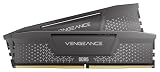
RAM type is tied to the platform: current builds use DDR5, and DDR4 modules will not physically fit a DDR5 board. Confirm the motherboard’s supported speeds and buy a matched kit (two sticks) rather than mixing single modules, so you get dual-channel performance and reliable stability. Enable the memory’s rated speed profile in the BIOS after building — otherwise it runs slow by default.
Physical fit: the measurements people skip
| Check | What must match | Common failure |
|---|---|---|
| GPU length | Card length < case clearance | Card hits drive cage / front fans |
| CPU cooler height | Cooler height < case width | Side panel will not close |
| Motherboard size | Board form factor fits case | mATX/ITX mismatch, missing standoffs |
| Radiator size | AIO fits a case mount point | 360mm radiator in a 240mm case |
| PSU length | PSU depth fits the bay | Cables crushed in small cases |
Power supply: wattage and connectors
Size the PSU to the GPU with headroom. A 60/70-class card is happy on a quality 650W unit; an 80-class card wants 750–850W. Just as important, confirm the PSU has the right power connectors for your specific graphics card — newer high-end cards may use a 12-pin connector, while others use one or more 8-pin PCIe cables. Buy an 80+ Bronze unit at minimum, Gold if you can, from a reputable maker; the PSU is the one part where cutting corners can damage everything else.
Storage and ports
Check how many M.2 slots the board has and whether using all of them disables SATA ports (a common trade-off on smaller boards). Confirm the board’s rear I/O and case front-panel headers match what you need — USB-C, enough USB-A, and Wi-Fi if you are not running an Ethernet cable. If you need wireless, buy a board with Wi-Fi built in rather than discovering later that it lacks an antenna.
The one-page pre-order pass
Before you buy, verify: CPU socket matches board; chipset supports the CPU (and BIOS is compatible); RAM is the correct DDR type and a matched kit; GPU length, cooler height, and radiator size fit the case; PSU wattage covers the GPU with margin and has the correct connectors; the board has enough M.2 and USB for your needs. A free online parts-compatibility tool can flag many of these automatically, but understanding why each check exists means you will catch the ones a tool misses.
FAQ
Do I really need a BIOS update to worry about?
Sometimes. If you pair a brand-new CPU with a motherboard model that launched earlier, the board may need a firmware update to boot. Many modern boards include a feature to update the BIOS with no CPU installed. Check the specific board and CPU combination before buying, or choose a board revision that ships ready for your chip.
Will a compatibility tool catch everything?
It catches the electrical and interface mismatches well, but physical clearances are where tools are weakest — GPU-to-drive-cage collisions and tall coolers versus narrow cases often slip through. Always cross-check the actual millimeter measurements in the case and part spec sheets for those three fit items.
Bottom line
Compatibility is not luck; it is a checklist. Match the socket, chipset, and RAM type; confirm the GPU, cooler, and radiator physically fit; size the PSU and verify its connectors; and check storage and port counts. Spend fifteen minutes on these before you order and your build day becomes assembly instead of a scramble for returns.

