
If you are tired of cloud subscriptions and want your security footage to stay in the house, a self-built network video recorder (NVR) is the answer. Software like the popular open-source NVR platforms turns a modest PC into a 24/7 recorder that can run object detection locally. But an NVR build has priorities most gamers never think about: continuous write endurance on storage, low idle power, and just enough CPU or an accelerator to handle video decoding for several camera streams.
As an Amazon Associate we earn from qualifying purchases at no extra cost to you.
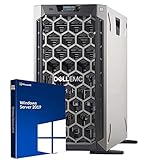
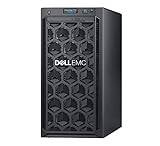

Our Top Picks
 Dell PowerEdge R730xd Server 24B SFF 2U17.5 x 26.9 x 3.44 inches26.9 x 17.5 x 3.44 inchesCheck on Amazon


Top 3 picks at a glance
What an NVR build actually stresses
Storage endurance and capacity
Recording multiple cameras around the clock writes enormous amounts of data. Surveillance-rated hard drives are designed for exactly this sustained-write workload, and you want capacity to match your retention window. A common setup is one or two large HDDs (say 4–12TB each) for footage plus a small SSD for the operating system.
CPU or accelerator for detection
Plain recording is light, but if you want AI object detection (person, car, package), you either lean on a capable multi-core CPU, a modest GPU, or a dedicated inference accelerator. Many builders add a small USB or M.2 detection accelerator so the CPU stays cool and power draw stays low.
| Cameras | CPU | Detection | Storage plan |
|---|---|---|---|
| 2-4 | Modern 4-core / low-power | CPU or small accelerator | 1x 4-6TB surveillance HDD + 250GB SSD |
| 5-8 | 4-6 core | Accelerator or entry GPU | 2x 6-8TB HDD + 500GB SSD |
| 9-16 | 6-8 core | Entry GPU or dual accelerators | 2x 10-12TB HDD (or NAS) + 500GB SSD |
Power, noise, and placement
Because the box runs constantly, efficiency beats raw speed. Choose an 80+ Gold PSU in the 450–550W range, a quiet air cooler, and a case with dust filters since it may sit in a closet or basement. A right-sized NVR idles around 30–70W. A small UPS is genuinely worthwhile here: it prevents drive corruption during outages and keeps cameras recording through brief blips.
Networking
Wire cameras and the NVR through a switch, ideally with PoE for the cameras. A 2.5GbE port on the NVR helps if you review many high-resolution streams at once, but gigabit is fine for typical home setups. Keep the camera traffic on a wired path so recordings never depend on Wi-Fi.
Sizing storage to your retention window
The single biggest planning decision is how many days of footage you want to keep, because that drives your total drive capacity. A rough way to estimate: multiply each camera’s bitrate by 24 hours by your retention days, then sum across cameras and add a margin. Higher-resolution cameras and higher frame rates fill drives faster, so a handful of 4K cameras recording continuously for a month can easily need 20TB or more, while motion-only recording stretches the same drives much further. Deciding continuous versus motion-triggered recording up front changes the capacity math dramatically.
Decoding load and hardware acceleration
Every camera stream the NVR displays or analyzes has to be decoded, and that is where an underpowered CPU shows its limits. Many NVR platforms can offload video decoding to integrated or discrete GPU hardware, which slashes CPU load when you view a wall of live feeds. If you plan to run AI detection on several streams at once, that is exactly where a small dedicated accelerator earns its keep, keeping the main CPU cool and the whole box efficient enough to justify running every hour of every day.
Reliability details that prevent lost footage
Because the machine records unattended, small reliability choices matter more than raw speed. A UPS bridges brief outages and lets the system shut down cleanly, protecting both the current recording and the file system. Dust filters keep a closet-bound box from clogging, and periodic drive health checks catch a failing disk before it takes your footage with it. These unglamorous details are what separate an NVR you can rely on from one that quietly stops recording the week before you need it.
Frequently asked questions
Do I need a graphics card for a home NVR?
Not always. Simple recording is light, but local AI detection benefits from a small accelerator or an entry GPU. Many builders skip a big graphics card entirely and add a dedicated detection stick, which keeps power draw and heat far lower for a device that never turns off.
Can I use regular hard drives instead of surveillance drives?
You can, but surveillance-rated drives are tuned for the constant-write, always-on workload of an NVR and tend to last longer under it. Given how cheap the peace of mind is, most builders use them, then keep an SSD for the OS to keep the system responsive.
Bottom line
A home NVR is a storage-endurance and efficiency build, not a gaming build. Pair a low-power multi-core CPU with surveillance-grade HDDs sized to your retention, add a small detection accelerator if you want local AI, and finish with an efficient PSU and a UPS. The result records your whole home 24/7 with no monthly fees and no cloud dependence.

