
Running your own Minecraft server at home is one of the most satisfying reasons to build a small, always-on PC. But a server build is nothing like a gaming build: Minecraft’s server process is heavily single-thread bound, memory-hungry per player, and rewards fast storage and a stable network far more than a big graphics card. You can build a rock-solid 10–20 player server for roughly $500–800, and it will sip power 24/7.
As an Amazon Associate we earn from qualifying purchases at no extra cost to you.


Our Top Picks


Top 3 picks at a glance
Why a Minecraft server ignores your GPU
The vanilla and Paper server software renders nothing; it simulates the world. That means a discrete GPU is optional (integrated graphics are fine for a headless box). Instead, the two things that make or break tick rate are per-core CPU speed and RAM. Minecraft’s main loop wants to hold 20 ticks per second, and once you add mods or lots of loaded chunks, a fast single core keeps that steady.
Sizing CPU and RAM to player count
Plan roughly 1–1.5GB of RAM per concurrent player for vanilla, and 2–3GB per player for modpacks. A modern 4–6 core CPU with high clocks handles small-to-medium servers easily. You rarely need more than 8 cores unless you host several worlds at once.
| Server size | CPU | RAM to allocate | Storage |
|---|---|---|---|
| Friends (2-8, vanilla) | 4-core, high clock | 6-8GB | 500GB NVMe |
| Community (10-20, Paper) | 6-core, high clock | 16GB | 1TB NVMe |
| Modded (10-20, heavy mods) | 6-8 core, high clock | 32GB | 1-2TB NVMe |
| Multi-world | 8-core+ | 32-64GB | 2TB NVMe + backup HDD |
Storage, cooling, and uptime
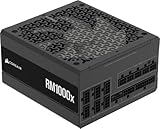
A single NVMe SSD dramatically reduces chunk-load stutter compared with a hard drive, and it makes world saves and backups fast. Because the box runs constantly, pick a quiet 80+ Gold power supply (a 450–550W unit is ample) and a modest tower air cooler so fans stay near silent. Add a second drive or a scheduled backup to a NAS; a corrupted world with no backup is the classic self-host tragedy.
Network and power draw
Wire the server to your router over Ethernet, not Wi-Fi, for stable ping. A right-sized server idles around 30–60W, so a year of 24/7 uptime costs very little. Consider a small UPS so a brief outage does not corrupt a save mid-write.
Software choices that shape the build
The server software you pick influences how much hardware you need. Vanilla Java servers are simple but less optimized, while community-optimized server software squeezes far more players out of the same CPU by handling entity and chunk processing more efficiently. If you expect a busy world, the optimized route effectively lowers your hardware bill, because a 6-core chip on efficient software can outperform an 8-core chip running unoptimized vanilla. Plan the software first, then buy the CPU to match your realistic peak player count.
Headless versus desktop operation
Running the server headless, with no monitor and managed remotely, trims power draw and lets you skip a discrete GPU entirely. Many builders run the box as a background service on a lightweight operating system, freeing more RAM for the game and reducing the attack surface. If you prefer a graphical desktop for convenience, budget a little extra RAM for the operating system overhead, but understand it does not change the fundamental CPU-and-memory nature of the workload.
Backups are part of the build, not an afterthought
A game server without backups is a disaster waiting to happen, because a corrupted world, a bad mod update, or a failed drive can erase months of building. Bake a scheduled backup into the plan from day one: a second internal drive, an external disk, or a push to a NAS on a nightly timer. Rotating a few days of backups protects you from silent corruption that you might not notice until well after it happened, which a single most-recent backup cannot.
Frequently asked questions
Do I need a graphics card for a Minecraft server?
No. The server software does no rendering, so integrated graphics or even a headless setup is fine. Spend that money on a faster CPU and more RAM, which directly improve tick rate and player capacity.
How much RAM should I allocate?
Budget about 1–1.5GB per player for vanilla and 2–3GB per player for modpacks, then leave a few gigabytes for the operating system. Over-allocating RAM to the Java process can actually hurt performance, so size it to your real player count rather than dumping everything in.
Bottom line
A self-hosted Minecraft server is a CPU-clock, RAM, and storage build, not a GPU build. A fast 4–6 core chip, 16–32GB of RAM sized to your players, a 1TB NVMe, and a quiet efficient PSU give you a near-silent, low-power box that holds 20 TPS for years. Add automated backups and you have a home server you can actually trust.

