
Bare M.2 SSDs are tiny and get warm, which leads a lot of builders to wonder whether the heatsink bundled with their motherboard — or an aftermarket one — actually matters for gaming. The short version: for gaming specifically, an NVMe heatsink is usually optional, but it becomes genuinely important for high-end PCIe 4.0 and 5.0 drives under sustained writes. Here is how to tell whether your build needs one.
As an Amazon Associate we earn from qualifying purchases at no extra cost to you.
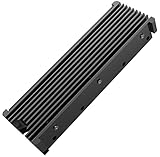
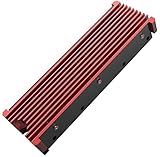

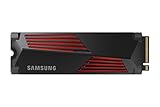
Our Top Picks
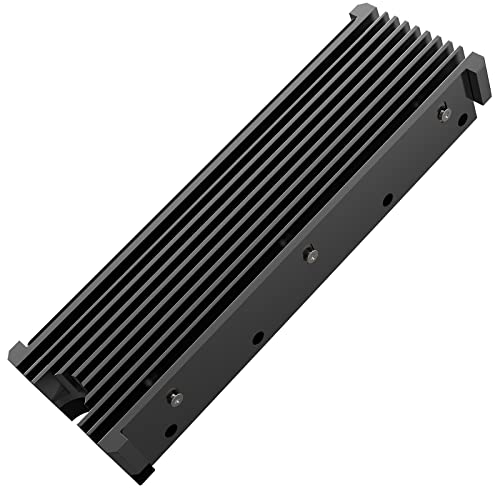


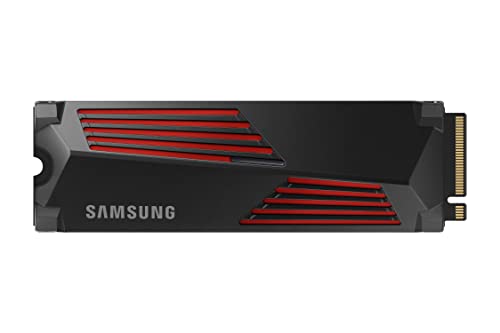
Top 3 picks at a glance
Why NVMe drives throttle
When an SSD controller gets too hot — typically past 70–80 °C — it deliberately slows down to protect itself, a behavior called thermal throttling. The drives most prone to it are fast PCIe 4.0 and especially PCIe 5.0 models, whose controllers run hot at full tilt. A heatsink pulls that heat away and keeps the drive in its full-speed window longer.
Gaming rarely triggers throttling
Here is the catch for gamers: loading a level is a short burst of reads, and reads generate far less heat than sustained writes. Most games never keep the SSD busy long enough to overheat. So for pure gaming, even a fast drive without a heatsink usually stays well within spec, and load-time differences with or without a heatsink are often within a fraction of a second.
When a heatsink matters
| Scenario | Heatsink needed? |
|---|---|
| Gaming on PCIe 3.0/4.0 drive | Optional |
| Gaming on PCIe 5.0 drive | Recommended |
| Large file transfers / video editing | Yes |
| Drive behind the GPU (poor airflow) | Yes |
| Sustained writes (backups, rendering cache) | Yes |
| Laptop-style cramped M.2 slot | Helps |
Use the motherboard’s heatsink first
Most mid-range and higher boards include M.2 heatsinks with pre-applied thermal pads. These are perfectly adequate for the majority of drives — you rarely need to buy an aftermarket cooler. The key is to actually install the drive under the provided heatsink and remove the protective film from the thermal pad, a step people forget surprisingly often.
Placement and airflow
An M.2 slot tucked directly beneath a hot GPU sees far less airflow than the primary slot near the CPU. If you have a choice, put your fastest or most write-heavy drive in the best-cooled, heatsinked slot. General case airflow helps SSD temperatures just as it helps everything else.
Monitoring drive temperature
Rather than guess, measure. Free monitoring tools report each SSD’s temperature, and most consumer drives are rated to run safely up to about 70 C on the controller before throttling begins. Load a big game, copy a large folder, and watch the numbers under real use. If your drive stays in the 40s and 50s C, a heatsink changes nothing for you. If it climbs into the high 60s or 70s during transfers, adding or improving a heatsink, or moving the drive to a better-ventilated slot, is worthwhile. Data beats assumptions, and the check takes two minutes.
FAQ
Will my SSD be slower without a heatsink in games?
Almost never noticeably. Game loads are short read bursts that seldom overheat a drive, so load times are effectively the same with or without a heatsink on most PCIe 3.0/4.0 SSDs.
Do PCIe 5.0 SSDs require a heatsink?
Effectively yes. Gen5 controllers run hot and many ship with or require a heatsink — sometimes an active one — to avoid throttling during sustained transfers.
Bottom line
For gaming alone, an NVMe heatsink is a nice-to-have rather than a must, and the one bundled with your motherboard is usually all you need. It earns its keep on PCIe 5.0 drives, in poorly ventilated slots behind the GPU, and for sustained write workloads like editing and backups. Install the drive under the provided heatsink, peel the thermal-pad film, and you have covered 95% of real-world builds.

