
Building a capable 1080p gaming PC for around $600 is one of the most satisfying projects in the hobby. At this budget every dollar has to earn its place, so the goal is a balanced machine that plays modern games at 1080p with high frame rates rather than a lopsided build that looks good on paper. This guide walks through how to allocate a $600 budget across components for the best real-world results.
As an Amazon Associate we earn from qualifying purchases at no extra cost to you.

Our Top Picks
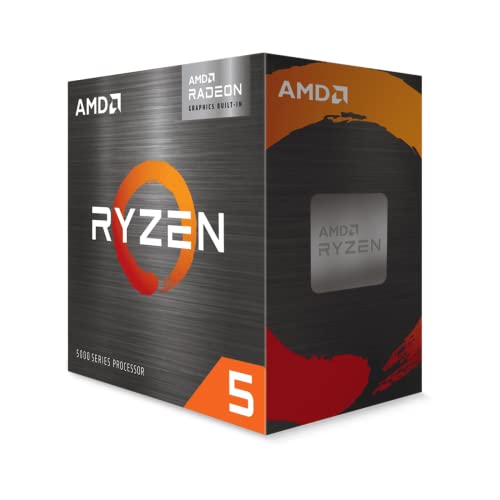 AMD Ryzen™ 5 5600G 6-Core 12-Thread Desktop Processor1.6 x 1.6 x 0.2 inches0.9 PoundsCheck on Amazon


Top 3 picks at a glance
The balanced-budget philosophy
The biggest mistake at $600 is overspending on one part, like a flashy case or an oversized power supply, and starving the GPU or RAM. A balanced build puts the most money into the graphics card, pairs it with a competent CPU, and never cuts corners on dual-channel memory or an SSD.
Suggested budget allocation
| Component | Budget share | Rough spend |
|---|---|---|
| GPU | ~35% | $200-220 |
| CPU | ~20% | $110-130 |
| Motherboard | ~13% | $75-90 |
| RAM (16GB dual-channel) | ~9% | $45-55 |
| SSD (1TB NVMe) | ~10% | $55-70 |
| PSU (550W 80+ Bronze) | ~8% | $45-55 |
| Case | ~5% | $40-55 |
Where to spend
The GPU is the heart of a gaming build, so it gets the largest slice. A modern entry-mid card with 8GB of VRAM drives 1080p at high settings and clears 60 FPS in demanding games, with high-refresh performance in lighter titles.
Where to save
Save on the case and motherboard, which do not affect frame rates, and stick to a reliable 550W 80+ Bronze supply rather than an oversized unit. Do not save on RAM configuration: 16GB in dual channel is essential.
Assembly and setup tips
Install two matching RAM sticks in the correct slots for dual channel, seat the NVMe SSD directly on the board, and cable-manage for airflow. After building, enable the memory’s XMP or EXPO profile in the BIOS so it runs at rated speed, update the GPU drivers, and confirm temperatures stay reasonable under load.
Leaving an upgrade path
A $600 build should not be a dead end. Choosing a 550W supply and a case with room for a longer GPU means you can drop in a stronger card in a year or two. That flexibility turns a budget starter into a platform you grow rather than replace.
Buying smart to stretch the budget
At $600 timing and sourcing make a real difference. Watching for sales on GPUs and SSDs, considering a reputable open-box or last-generation graphics card, and buying a bundle when a board and CPU are discounted together can free up $50-80 to reinvest in a better GPU. Just keep the power supply, motherboard, and storage new and from trusted brands, since reliability failures here can cost more than they save.
Resist the temptation to overspend on aesthetics. RGB fans and a flashy case do nothing for frame rates, and every dollar shifted from cosmetics to the graphics card buys real performance. A clean, functional build that plays games well beats a pretty one that stutters.
Post-build checklist
Once assembled, take ten minutes to finish the job properly. Enable the memory profile in the BIOS so your RAM runs at rated speed, install the latest GPU drivers, update the motherboard chipset drivers, and run a quick stress test while watching temperatures. These free steps ensure your carefully balanced $600 build actually delivers the frame rates its parts are capable of.
FAQ
Is $600 enough for a good 1080p PC?
Yes. With a balanced allocation you can play modern games at 1080p high settings with strong frame rates. The key is a good GPU, dual-channel 16GB RAM, and an SSD, without overspending elsewhere.
Should I buy used parts to stretch the budget?
A used GPU can add real value if it is tested and from a trustworthy seller, but buy the power supply, storage, and motherboard new for reliability. Weigh the lack of warranty against the savings.
Bottom line
A $600 1080p build works best when the budget is balanced: roughly a third to the GPU, a competent CPU, dual-channel 16GB RAM, a 1TB NVMe SSD, and a reliable 550W supply, with savings taken on the case and board. Enable your memory profile, keep an upgrade path open, and you will have a machine that plays today’s games beautifully at 1080p.

