
Photo editing has quieter hardware demands than video or 3D work, but the details still matter if you want snappy exports, smooth brushing on large files, and a color-accurate workflow. High-resolution RAW files, layered composites, and big catalogs lean on the CPU, memory, and fast storage far more than on a top-tier graphics card. So should you build a custom PC or buy a prebuilt for photo work? This guide compares the two and explains exactly what to prioritize.
As an Amazon Associate we earn from qualifying purchases at no extra cost to you.



Our Top Picks
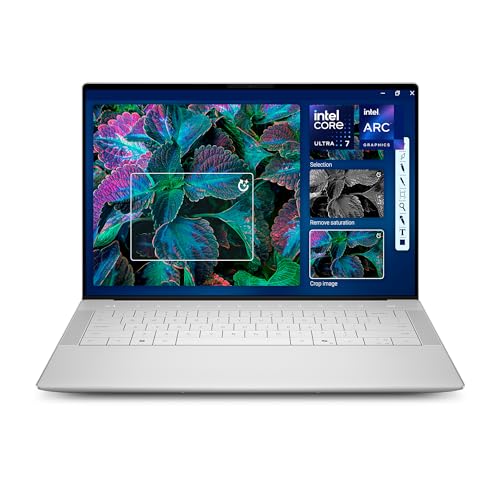 Dell XPS 14 Premium Laptop DA14250-14.5-inch Touch 3.2KXPS14|32GB|1TB8.5 x 12.6 x 0.71 inches3.79 poundsCheck on Amazon
 Dell 2024 XPS 15 9530 Business Laptop16GB RAM | 512GB SSD13.57 x 9.06 x 0.71 Inches4.21 poundsCheck on Amazon


Top 3 picks at a glance
What photo editing actually needs
The priority order for a photo editing machine is a strong CPU, plenty of RAM, and fast NVMe storage, with a modest GPU that mainly accelerates certain filters and previews. Unlike gaming, you do not need the fastest graphics card, which frees budget for the parts that speed up your real work.
CPU
Editors like Lightroom and Photoshop lean on strong single-thread performance for responsive brushing and sliders, plus useful multi-thread scaling for exports. A modern 6-to-8-core CPU with high clocks hits the sweet spot for most photographers.
RAM
16GB is a workable minimum, but 32GB is the comfortable target once you stack layers, open many images, or run multiple apps. Large panoramas and focus stacks especially appreciate the headroom.
Storage
A fast 1TB NVMe SSD holds the OS, apps, and active catalog for instant loads, while a larger secondary drive archives your growing photo library. Editing from a slow drive is a common, avoidable bottleneck.
Custom vs prebuilt, side by side
| Factor | Custom build | Prebuilt |
|---|---|---|
| Spec balance for photos | Exactly what you choose | Often GPU-heavy, RAM-light |
| RAM to 32-64GB | Easy and cheap | Sometimes limited |
| Color-accurate setup | Pick your own monitor | Verify display quality |
| Time to running | A few hours to build | Ready out of the box |
| Value | More RAM and storage per dollar | Convenience premium |
When a prebuilt makes sense
If you want a machine today with a warranty and no assembly, a prebuilt works well, provided you avoid gaming configurations that pair a big GPU with only 16GB of RAM. Look for a model with a strong CPU, at least 32GB of memory, and an NVMe SSD. You can often add more RAM or a second drive later if the case allows.
When a custom build wins
Building your own lets you pour the budget into a fast CPU, 32-64GB of RAM, and quick storage while choosing a modest GPU, which is the ideal balance for photo work. For the same money a custom machine usually offers more usable capacity and a cleaner upgrade path. A quiet air cooler and a 550-650W 80+ Gold supply keep it calm during long editing sessions.
Color accuracy and the monitor
For photo work, the display is as important as the tower, because color decisions you cannot see correctly are decisions you will regret in print or online. Prioritize a monitor with strong color accuracy and wide gamut coverage, and plan to calibrate it with a hardware colorimeter. A custom build lets you allocate budget to a great monitor rather than absorbing a prebuilt’s markup, while prebuilt buyers should confirm whether the bundled display is suitable for editing or budget for a better one separately.
Connectivity matters too. Photographers move a lot of data from cameras and cards, so a machine with fast USB ports and a card reader speeds up ingest. Verify the ports you need are present rather than discovering a shortage after purchase.
Catalogs, backups, and storage strategy
Photo libraries grow relentlessly, so plan storage with both speed and safety in mind. Keep the active catalog and recent shoots on a fast NVMe drive, archive older work to a large secondary drive, and maintain a separate backup, ideally following a redundant approach so a single drive failure never costs you irreplaceable images. Custom builds make it easy to add multiple drives, while some compact prebuilts limit you to a single slot, so check expansion before buying if your archive is precious.
FAQ
Do I need a powerful GPU for photo editing?
No. A modest GPU accelerates some filters and previews, but photo work is mostly CPU, RAM, and storage bound. Put the money there rather than into a high-end graphics card.
Is 16GB of RAM enough for photo editing?
It works for lighter editing, but 32GB is far more comfortable once you stack layers, open many RAW files, or multitask. Memory is the upgrade most photographers notice first.
Bottom line
For photo editing, prioritize a strong CPU, 32GB or more of RAM, and fast NVMe storage over graphics. A custom build usually delivers a better-balanced, better-value machine that upgrades cleanly, while a prebuilt is worth it for instant availability and support, as long as you avoid RAM-starved gaming configs. Match the specs to your workflow, and do not forget a color-accurate monitor to finish the setup.

