
The AMD-versus-Intel argument has quietly changed. For most of a decade the answer swung back and forth every generation, but today both brands ship gaming chips that will keep a mid-range or high-end GPU fed at 1440p and 4K. The real decision now comes down to platform longevity, per-game behavior, cooling, and how much you value gaming frame rates over heavy multitasking. This guide walks through the trade-offs so you can pick the right processor for the build you are actually planning, not the one a forum argument says you should want.
As an Amazon Associate we earn from qualifying purchases at no extra cost to you.

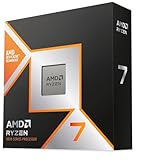

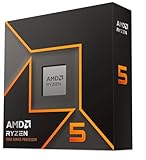
Our Top Picks




Top 3 picks at a glance
What each brand does well right now
AMD’s Ryzen line, especially the X3D models with stacked cache, tends to lead in pure gaming frame rates and does it at very low power. Intel’s Core and Core Ultra parts often push higher all-core performance for tasks like heavy exports and compiling, and their motherboards frequently include more polished connectivity out of the box.
Gaming frame rates
At 1080p, where the CPU matters most, an X3D-class AMD chip can lead by 10-20% in cache-sensitive titles such as large simulation and strategy games. At 1440p and 4K the gap usually shrinks to low single digits because the GPU becomes the limiter. If you game at high resolution, both brands feel identical in most titles.
Everything that is not gaming
If you also render, stream with x264, or run 30-tab productivity sessions, look at core and thread counts and all-core clocks rather than gaming benchmarks alone. Higher-core Intel and non-X3D Ryzen parts often edge ahead here.
Platform longevity and cost of ownership
AMD’s socket support has historically stretched across several CPU generations, meaning a board bought today may accept a drop-in upgrade in two or three years. Intel tends to change sockets more often, so a future upgrade can mean a new motherboard too. That single fact can shift the total cost of a build by $150-250 over its life.
| Factor | Typical AMD (Ryzen / X3D) | Typical Intel (Core / Core Ultra) |
|---|---|---|
| 1080p gaming lead | Often +10-20% in cache-heavy games | Competitive, occasional wins |
| Package power under load | ~65-120W | ~90-250W on high-end |
| Socket lifespan | Often 3+ CPU generations | Often 1-2 generations |
| Stock cooler for mid-tier | Sometimes included | Sometimes included |
| Sweet-spot gaming price | $200-450 CPU | $200-450 CPU |
Cooling and power realities
High-end Intel chips can draw well over 200W when unrestricted, which means a beefier cooler and a 750W+ 80+ Gold power supply. Many gaming Ryzen parts sip 65-120W and pair happily with a solid $35-60 air tower. If you want a quiet, compact build, the lower-power option simplifies everything from case choice to fan noise.
Which should you buy?
Pick AMD X3D if
Your priority is maximum 1080p or 1440p frame rate, you want low heat and noise, and you like the idea of a cheap CPU-only upgrade later on the same board.
Pick Intel if
You want strong mixed workloads, value a wide selection of feature-rich boards, or you find a better price-to-performance deal in the tier you are shopping. At the same budget, the difference in games is small; buy whichever gives you more cores or cache for the money.
Motherboard and memory considerations
The CPU you choose also decides your motherboard platform and memory support, which quietly affects total cost. AMD and Intel each use their own sockets and chipsets, so a chip locks you into a matching board family. Entry chipsets keep costs down for a straightforward gaming build, while higher tiers add faster connectivity, more USB, and better power delivery for hungrier chips. If you plan to overclock or run a high-power processor, budget an extra $40-80 for a board with stronger VRMs and cooling.
Both current platforms use DDR5 memory, and gaming responds well to a fast 6000MHz-class kit with tight timings. Remember to enable the memory profile in the BIOS, whether it is called EXPO on AMD or XMP on Intel, or your RAM will idle at a slow baseline and cost you frames. A balanced 32GB dual-channel kit is the modern sweet spot for gaming and light multitasking, and it costs far less than it did a few years ago.
Don’t forget resale and longevity
Because AMD tends to support a socket across several generations, a Ryzen board bought today may accept a much faster CPU later without a full platform swap, which also helps resale value. Intel’s more frequent socket changes can mean replacing the board on your next upgrade. Factor that into the true multi-year cost rather than judging on the sticker price of the CPU alone.
FAQ
Does the CPU brand affect which GPU I can use?
No. Any modern AMD or Nvidia graphics card works with any modern AMD or Intel CPU. Pairing is about balancing performance tiers, not brand matching.
Is an X3D chip overkill for 4K gaming?
At 4K the GPU does most of the work, so a mid-tier CPU from either brand is usually enough. X3D shines most at 1080p and 1440p or in CPU-bound simulation titles.
Bottom line
Neither brand is a mistake in 2026. Choose AMD X3D for the highest gaming frame rates, low power, and long upgrade runway; choose Intel when mixed workloads or a specific deal tilt the value. Match the chip to a GPU one tier apart, budget for adequate cooling, and you will not feel the difference in real gameplay.

