
A home lab server is a different animal from a gaming PC. You are optimizing for core count, memory capacity, storage flexibility, and 24/7 reliability rather than frame rates. Whether you plan to run Proxmox, TrueNAS, a stack of Docker containers, or a handful of virtual machines, the right parts make the difference between a quiet, dependable box and a power-hungry space heater that crashes at 3 a.m.
As an Amazon Associate we earn from qualifying purchases at no extra cost to you.
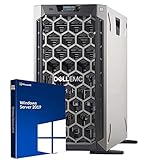
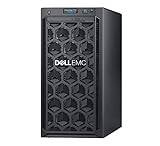


Our Top Picks


Top 3 picks at a glance
Cores and memory come first
Virtualization thrives on threads and RAM. Each VM wants its own vCPUs and a memory allotment, so an 8-core, 16-thread CPU is a comfortable starting point and a 12-16 core chip gives you room to grow. Memory is the resource you run out of first: 32GB is a realistic minimum, 64GB is the comfortable middle, and ECC memory is worth considering if data integrity matters for a file server.
Suggested configurations
| Use case | CPU cores | RAM | Storage plan | Idle power |
|---|---|---|---|---|
| Starter lab | 6-8 | 32GB | 1x NVMe + 1x HDD | 35-55W |
| Multi-VM lab | 8-12 | 64GB | NVMe boot + SSD pool | 55-85W |
| NAS + VMs | 8-16 | 64-128GB | NVMe + 4-6 bay HDD array | 70-110W |
Storage and expandability
Plan your storage before you pick a case. A boot NVMe drive plus a pool of SATA SSDs or hard drives is a common layout, and if you want a proper NAS you need a case with four or more drive bays and a motherboard with enough SATA ports. Look for a board with two or more M.2 slots and decent PCIe lane allocation so you can add a network card or HBA later.
Efficiency and uptime
Because the machine runs around the clock, idle power draw matters more than peak. A modern CPU with strong idle efficiency, a right-sized 80+ Gold PSU in the 450-650W range, and quiet, low-RPM fans keep both your electric bill and noise down. You do not need a discrete GPU for a headless server; integrated graphics are fine for occasional console access.
Networking and remote management
A server you never sit in front of needs solid remote access baked in from the start. At minimum, plan for reliable gigabit networking, and consider a motherboard with a second network port or a dedicated management interface if your platform offers one, because being able to reach the box when the main operating system is misbehaving saves enormous frustration. Many home lab builders also add a cheap KVM-over-IP device so they can power-cycle and reinstall the server remotely, treating it like a real datacenter node.
Think about growth before you finalize the case and board. Home labs have a way of expanding: what starts as one virtualization host becomes a file server, then a container stack, then a backup target. Choosing a case with spare drive bays, a board with free PCIe slots and extra SATA ports, and a power supply with a little headroom means your next project is a quick parts order rather than a full rebuild. The cheapest upgrade is the one you designed room for on day one, so err toward a slightly roomier chassis than you think you need today.
Frequently asked questions
Should I use a used enterprise server instead of building one?
Used rack servers are cheap on the resale market and offer tons of cores and ECC memory, but they are loud, power-hungry, and awkward in a home. A custom build costs a little more upfront but idles at a fraction of the wattage and stays quiet enough to live in a closet or under a desk. For most home labs, the custom route pays off over a year of runtime.
Do I need ECC memory?
ECC corrects single-bit memory errors and is genuinely valuable for a file server holding data you care about, especially with ZFS. For a lab that mostly runs disposable test VMs, standard memory is fine. Decide based on whether the box is storing irreplaceable data or just experiments.
Bottom line: Prioritize cores, memory, and drive bays over gaming-grade graphics. A quiet 8-core build with 64GB of RAM, a couple of M.2 slots, and room for a drive array covers the vast majority of home labs while sipping power all day long.

