
Running several virtual machines at once, for a home lab, development, testing, or self-hosting, turns your PC into a small server. The parts that matter shift decisively toward CPU cores, large amounts of RAM, and fast storage, because every VM wants its own slice of each. Build with virtualization in mind and one machine can comfortably host a whole fleet of virtual ones.
As an Amazon Associate we earn from qualifying purchases at no extra cost to you.


Our Top Picks


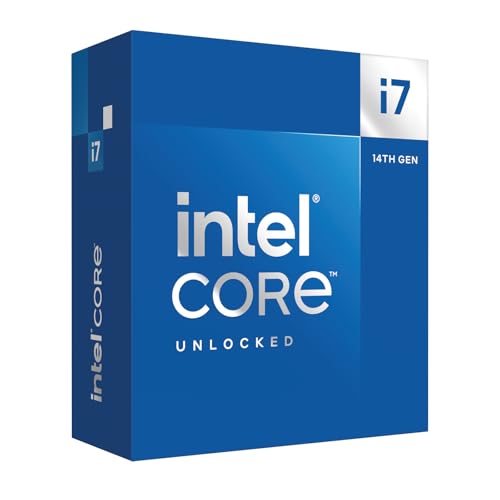
Top 3 picks at a glance
The three pillars of a virtualization build
RAM is king
Each virtual machine reserves memory, so RAM is usually the first thing you run out of. Give the host operating system a few gigabytes, then add up what each guest needs. 32GB lets you run a handful of light VMs, 64GB is the comfortable target for a serious home lab, and 128GB suits anyone running many guests or memory-heavy workloads.
CPU cores and threads
More cores let more VMs run without fighting over the processor. An 8-core chip handles a modest lab well, while 12 to 16 cores let you assign generous virtual CPUs to several demanding guests at once. Look for a platform with the virtualization features enabled in firmware, which every modern mainstream CPU supports.
| Lab size | Budget | CPU cores | RAM | Storage |
|---|---|---|---|---|
| Small (2–4 light VMs) | $900–1200 | 8 | 32GB | 1TB NVMe |
| Home lab (several VMs) | $1400–1900 | 12 | 64GB | 2TB NVMe |
| Heavy (many / large VMs) | $2000–2800 | 16+ | 128GB | 2TB NVMe + 4TB SSD |
Storage and the rest
Fast, roomy storage
Multiple VMs reading and writing at once hammer the disk, so a fast NVMe drive keeps them responsive. Give yourself room: virtual disks grow, and a home lab benefits from a large secondary SSD or HDD for images, snapshots and backups so the fast drive stays free for running guests.
Motherboard and networking
Choose a motherboard that supports the RAM capacity you’re targeting, since high-capacity kits need boards that accept them. A reliable wired network connection matters if your VMs serve anything, and extra memory slots leave room to expand the lab later without replacing kits.
Power, cooling and reliability
A virtualization host often runs around the clock, so favor stability. A quality 650–750W 80+ Gold power supply, good airflow, and a capable cooler keep a many-core CPU comfortable during sustained load. Because the machine may host services you rely on, standard, well-cooled parts and a small UPS are worth the modest extra cost.
Prebuilt vs custom
Consumer prebuilts rarely offer the RAM capacity and core count a virtualization host needs, and they’re not tuned for all-day operation. A custom build lets you max out memory, choose a high-core CPU, add layered storage, and build for reliability, which is exactly what running a fleet of VMs demands.
Snapshots, backups and expansion
A home lab lives and dies by its storage strategy. Virtual machine snapshots and images grow quickly, so keep them on a separate drive from your running guests and back up anything you can’t afford to lose. Planning that layout from the start keeps the fast NVMe drive free for active VMs and protects your work from a single failure.
Leave room to grow. Open RAM slots, spare drive bays and a power supply with headroom mean you can expand the lab as your ambitions do, without rebuilding. Virtualization needs tend to increase over time, so a build that anticipates that saves money and effort later.
FAQ
How much RAM do I need to run virtual machines?
It depends on how many guests and what they do, but plan on a few gigabytes for the host plus each VM’s allocation. 32GB suits a small lab, 64GB is comfortable for several VMs, and 128GB is for heavy or numerous guests. RAM is usually the first limit you hit.
Do I need a special CPU for virtualization?
No special chip is required; virtually all modern mainstream CPUs include the hardware virtualization features you need. What matters is core count and having those features enabled in firmware. More cores let more VMs run smoothly at the same time.
Bottom line
A virtualization PC is built around RAM, cores and fast storage: 64GB of memory as a comfortable home-lab target, 8–16 CPU cores to run guests without contention, a roomy NVMe drive, and reliable, well-cooled parts for all-day operation. Build it custom so you can max memory and cores where prebuilts fall short, budget $1400–1900 for a capable lab, and one machine will happily host a whole rack’s worth of virtual ones.

