
One of the best reasons to prefer a custom-friendly machine is upgradability, and it is exactly where many prebuilts fall short. The good news is that most standard prebuilts can be upgraded; the catch is that some are quietly engineered to resist it. Checking a few things before you buy tells you whether the machine will grow with you or lock you into its launch specs.
As an Amazon Associate we earn from qualifying purchases at no extra cost to you.


Our Top Picks
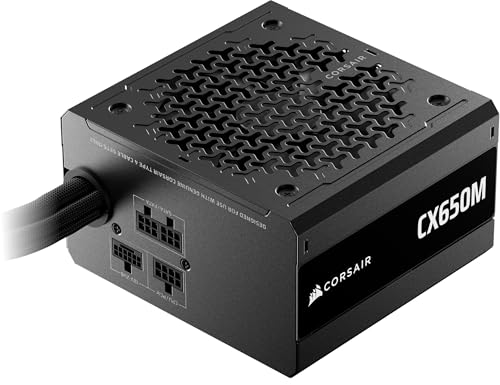
 CORSAIR CX750 80 Plus Bronze Non Modular Low-Noise750 Watts4.92 x 5.91 x 3.39 inches4.41 PoundsCheck on Amazon

Top 3 picks at a glance
Standard vs Proprietary: The Key Divide
The single question that determines upgradability is whether the machine uses standard parts. A prebuilt with a normal ATX or micro-ATX motherboard, a standard ATX power supply and a regular case is essentially a custom build you did not assemble, and it upgrades just as easily. A machine with a proprietary board, a non-standard PSU or a sealed case is a different story.
What Each Upgrade Requires
| Upgrade | Usually easy? | What can block it |
|---|---|---|
| Add RAM | Yes | All slots already filled |
| Add storage | Yes | No free M.2 / drive bays |
| New GPU | Often | Weak PSU, case clearance, connectors |
| New CPU | Sometimes | Locked BIOS, socket, VRM limits |
| New PSU | Usually | Proprietary power connector/shape |
The Power Supply Decides Your GPU Future
The most common upgrade is a stronger graphics card, and the power supply is what usually blocks it. If the prebuilt ships with a 450-550W unit that is already near capacity, a bigger GPU means also replacing the PSU, assuming it is a standard size you can replace at all. Before buying, note the wattage, efficiency and whether the unit is a standard ATX shape.
Check Clearance and Connectors
Two physical details trip up GPU upgrades. Case clearance limits how long and how many slots the new card can occupy, so a compact prebuilt may not fit a large modern GPU. And the power supply must have the right connectors for the new card. A quick look at the case dimensions and the PSU’s cable set answers both questions before you commit.
RAM and Storage: The Safe Bets
Memory and storage are the easiest upgrades on almost any prebuilt, provided there are free slots. Before buying, confirm the machine ships with two sticks in two of four slots (leaving room to add) rather than a single stick or fully populated slots. Likewise, check for a spare M.2 slot or drive bay so you can expand storage without cloning your boot drive.
Match the Upgrade Path to Your Timeline
Not every buyer needs every upgrade path open, so match your scrutiny to your plans. If you expect to keep the machine roughly as-is for its life and only ever add RAM or storage, almost any standard prebuilt will do, and you can worry less about PSU headroom or GPU clearance. If you plan to drop in a much stronger graphics card in two years, the power supply wattage, its standard shape and the case’s GPU clearance become the specs that decide whether that plan is cheap or painful.
Write down which upgrades you realistically intend before shopping. A buyer who knows they will swap the GPU at year two should pay for a machine with a 650W+ standard unit and room to spare, even at a small premium, because that single foresight turns a future roadblock into a twenty-minute job. A buyer with no upgrade ambitions can safely ignore that premium.
FAQ
How can I tell if a prebuilt uses proprietary parts?
Look at the motherboard and power supply in product photos or the spec sheet. Standard ATX-family boards and normal rectangular ATX power supplies are good signs. Unusual board shapes, power connectors you do not recognize, or a manufacturer’s refusal to list the PSU brand suggest a proprietary design that limits upgrades.
Is it worth buying a prebuilt just to upgrade it later?
It can be, if the prebuilt uses standard parts and is priced well. You get a working machine now and a clear upgrade path later. Just avoid proprietary designs, and confirm the power supply has headroom, or you will end up replacing more than you planned.
Bottom Line
Most prebuilts can be upgraded, but the ones that resist it hide their limits in the power supply, the motherboard type and the case size. Before buying, confirm standard parts, PSU headroom, free RAM and storage slots, and GPU clearance. Do that and the machine becomes a foundation you can grow, exactly the flexibility that makes custom-style builds worthwhile.

